
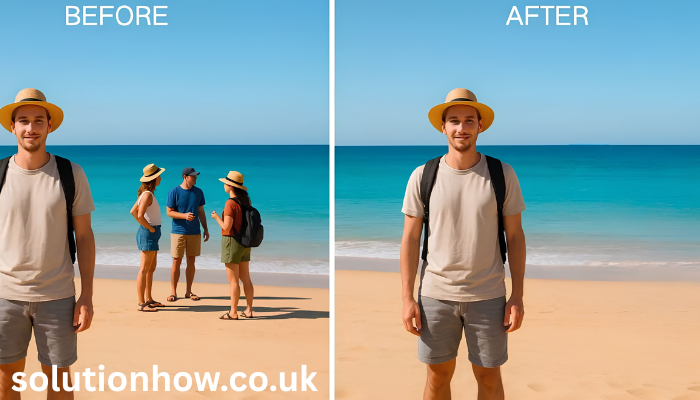
Photo editing apps have become an essential part of everyday life. Whether you’re posting on Instagram, updating your LinkedIn profile, creating content for TikTok, or simply preserving memories, a high-quality photo can make a big difference. Among the many editing apps available today, RetouchMe has gained popularity for offering professional human photo retouching instead of relying only on AI filters. However, users often wonder how RetouchMe compares with other well-known editing apps like Facetune, AirBrush, PicsArt, Adobe Lightroom, and Snapseed. Each app has its own strengths, pricing model, and editing capabilities. In this guide, we’ll compare RetouchMe vs competitors to help you decide which app is the best fit for your needs.
What Is RetouchMe?
RetouchMe is a mobile photo editing service available on Android and iOS. Unlike many editing apps that rely entirely on automatic filters, RetouchMe sends your photo to professional designers who manually edit it according to your requests.
The app offers hundreds of editing options, including:
- Skin smoothing
- Body reshaping
- Face slimming
- Teeth whitening
- Background removal
- Hair adjustments
- Makeup enhancements
- Object removal
- Wrinkle reduction
- Color correction
This manual editing approach is one of the biggest reasons many users choose RetouchMe.
RetouchMe vs Facetune
Facetune is one of the world’s most popular selfie editing apps. It focuses on quick edits using AI-powered tools.
RetouchMe
Pros
- Human editors
- Natural-looking results
- Large variety of editing services
- Suitable for professional portraits
Cons
- Editing takes time
- Credit-based pricing
Facetune
Pros
- Instant editing
- AI-powered enhancements
- Easy to use
Cons
- Results may sometimes look overly edited
- Many premium features require a subscription
Best For: Users who want quick selfie edits.
RetouchMe vs AirBrush
AirBrush specializes in beauty and portrait editing.
RetouchMe
- Professional manual retouching
- Better for detailed edits
- Suitable for commercial photography
AirBrush
- Fast automatic beauty filters
- Beginner-friendly interface
- One-tap enhancements
AirBrush is ideal for everyday social media users, while RetouchMe is better suited for people who want higher-quality, customized edits.
RetouchMe vs PicsArt
PicsArt is a complete creative editing platform.
RetouchMe
Focuses mainly on professional photo retouching.
PicsArt
Offers:
- Photo editing
- Video editing
- AI image generation
- Stickers
- Templates
- Drawing tools
If you enjoy creating artistic content, PicsArt offers more creative features. If your goal is realistic portrait enhancement, RetouchMe has the advantage.
RetouchMe vs Adobe Lightroom
Adobe Lightroom is designed for photographers who want complete control over image quality.
Lightroom Advantages
- Professional color grading
- RAW photo support
- Exposure adjustments
- Advanced editing tools
RetouchMe Advantages
- No editing skills required
- Human retouching
- Portrait improvements
- Beauty enhancements
Lightroom is perfect for photographers, while RetouchMe is a better choice for portrait and beauty edits.
RetouchMe vs Snapseed
Snapseed is Google’s free photo editor packed with advanced editing tools.
Snapseed
- Completely free
- Professional editing controls
- RAW support
- Selective editing
RetouchMe
- Human editing
- Beauty retouching
- Personalized edits
- Faster for users without editing experience
Snapseed is excellent for experienced users, whereas RetouchMe is better for people who want professionally edited portraits without learning editing techniques.
Feature Comparison Table
| Feature | RetouchMe | Facetune | AirBrush | PicsArt | Lightroom | Snapseed |
|---|---|---|---|---|---|---|
| Human Editing | ✅ | ❌ | ❌ | ❌ | ❌ | ❌ |
| AI Editing | Limited | ✅ | ✅ | ✅ | Partial | Partial |
| Portrait Retouching | ⭐⭐⭐⭐⭐ | ⭐⭐⭐⭐ | ⭐⭐⭐⭐ | ⭐⭐⭐ | ⭐⭐ | ⭐⭐ |
| Background Removal | ✅ | ✅ | ✅ | ✅ | Limited | Limited |
| Professional Color Editing | ⭐⭐⭐ | ⭐⭐ | ⭐⭐ | ⭐⭐⭐ | ⭐⭐⭐⭐⭐ | ⭐⭐⭐⭐ |
| Free Version | Limited | Yes | Yes | Yes | Yes | Yes |
| Best For | Portraits | Selfies | Beauty | Creative Editing | Photography | General Editing |
Pros of RetouchMe
- Professional human editors
- High-quality portrait retouching
- Hundreds of editing services
- Easy-to-use mobile app
- Natural-looking results
- Suitable for personal and professional photos
Cons of RetouchMe
- Editing is not instant
- Credit-based payment system
- Internet connection required
- Some advanced edits can be expensive
Which App Should You Choose?
The best app depends on your needs.
Choose RetouchMe if you want:
- Professional portrait editing
- Natural-looking results
- Human retouching
- Customized edits
Choose Facetune if you want:
- Fast selfie improvements
- AI-powered beauty filters
- Social media content
Choose AirBrush if you want:
- Simple beauty editing
- Quick enhancements
- Beginner-friendly tools
Choose Lightroom if you are:
- A professional photographer
- Editing RAW images
- Looking for advanced color correction
Choose Snapseed if you:
- Want a powerful free editor
- Prefer manual editing
- Have some editing experience
Frequently Asked Questions
Is RetouchMe better than Facetune?
RetouchMe offers human editing, which often produces more natural and personalized results. Facetune is better for quick AI-based edits.
Is RetouchMe free?
The app is free to download, but many editing services require purchasing credits.
Does RetouchMe use AI?
RetouchMe primarily relies on professional human editors, although some features may incorporate AI-assisted tools.
Which app gives the most natural-looking results?
RetouchMe is often preferred for natural-looking portrait retouching because real designers perform the edits.
Is RetouchMe worth paying for?
If you want high-quality portrait or beauty edits without learning advanced editing software, many users find RetouchMe worth the cost.
Final Verdict
When comparing RetouchMe vs competitors, there’s no single winner for everyone. RetouchMe stands out by offering professional human retouching, making it a strong choice for portraits, beauty photos, and polished social media images. Meanwhile, apps like Facetune, AirBrush, PicsArt, Lightroom, and Snapseed each excel in their own areas, from AI-powered enhancements to advanced photography tools.
If your priority is natural-looking, customized photo edits with minimal effort, RetouchMe is an excellent option. On the other hand, if you prefer complete creative control or free editing tools, one of its competitors may better suit your needs.